
Turnio
Shift calendar you can share
Basel1905 › Home, family and travel
Custom fit, print or project
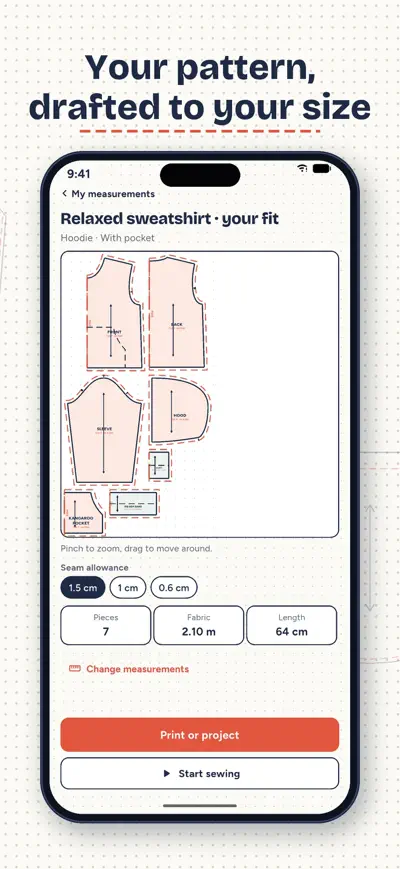
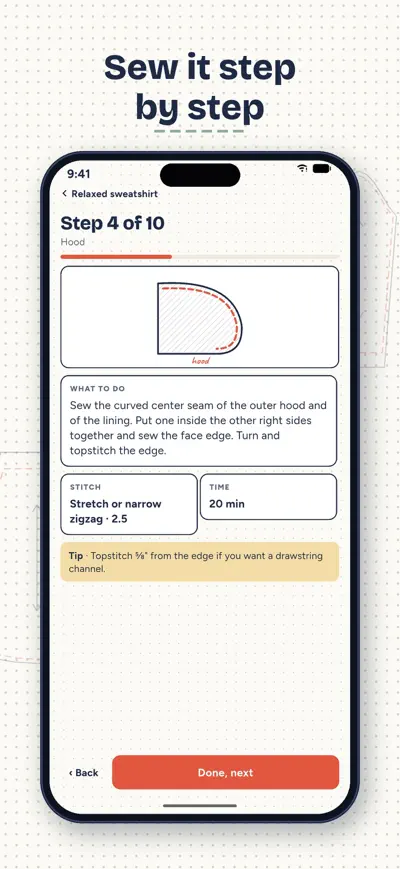
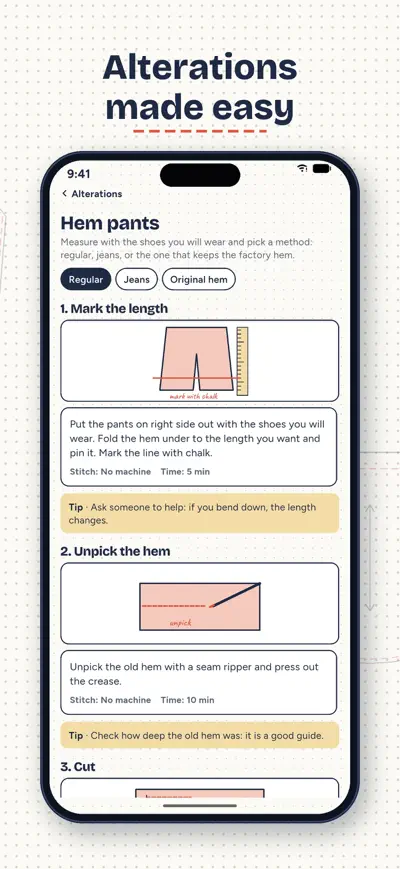
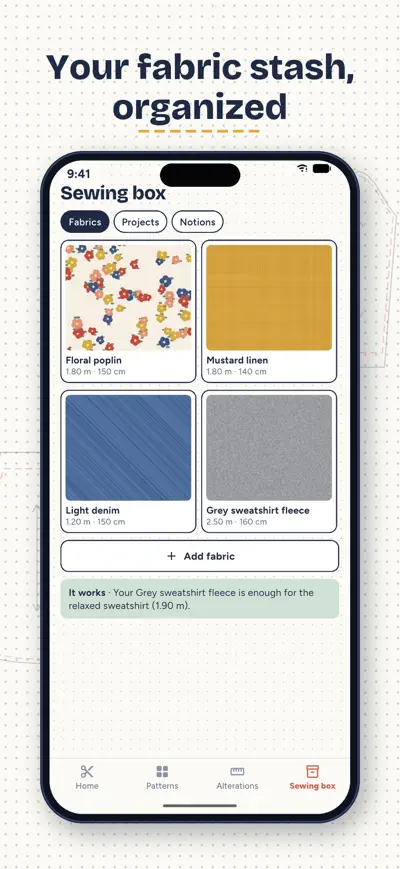
Pick a garment, enter your measurements and Hilvana drafts the pattern on the spot. Print it at home, send it to a copy shop or project it onto your fabric.
Hilvana drafts sewing patterns to your measurements. Choose a garment, enter your measurements and the pattern appears instantly, calculated by code with classic flat-pattern formulas: no fixed sizes and no patterns invented by AI. Pieces that are sewn together always match.
The tote bag, apron and elastic-waist skirt are free and complete.
Each pattern has its own illustrated steps (right side of the fabric in one color, wrong side in another), the machine stitch to use, how long it takes and a tip. Your progress is saved and the screen stays on while you sew.
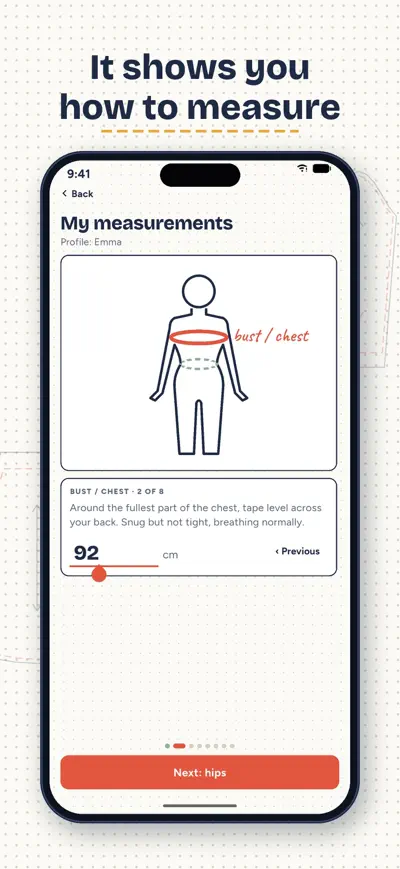
A drawing shows where the tape goes, and only the measurements the pattern needs are asked. If a number looks off, you get a warning. Save profiles for you and your family; for kids, pick an age and start from a standard chart. Inches or centimeters.
Hems (including the original hem on jeans), taking in a waist, narrowing a T-shirt, shortening sleeves, replacing zippers, sewing on a button, machine buttonholes, darning, patches and split seams. With hem and elastic calculators.
Snap a photo of a garment you love and Hilvana tells you which of its patterns is closest and what to change (length, sleeves, pockets…).
Your fabrics with photo and yardage, your projects and a notions shopping list. When you look at a pattern, it tells you which of your fabrics will work.
No ads, no account: your measurements stay on your phone.
Every pattern and every new one, A0 and projector, all alterations and 10 photos a day. Yearly with a 7-day free trial, or monthly; it renews automatically until you cancel it in your store account settings. You can also buy just the pattern you want, forever.
Choose a pattern, tap «Make it to my measurements» and enter only the measurements it needs (the drawing shows where the tape goes). Hilvana draws every piece with its seam allowance, grainline, fold, notches and how many to cut, and works out how much fabric you need for your roll width. Then print it, take it to a copy shop or project it, and sew it step by step.
Measure over light underwear with a tape that is snug but not tight. Waist: the narrowest part, around the navel. Hips: the widest part of the bottom. If a number looks odd, the app warns you so you can check it. For children you can type their measurements or pick their age and start from a standard table.
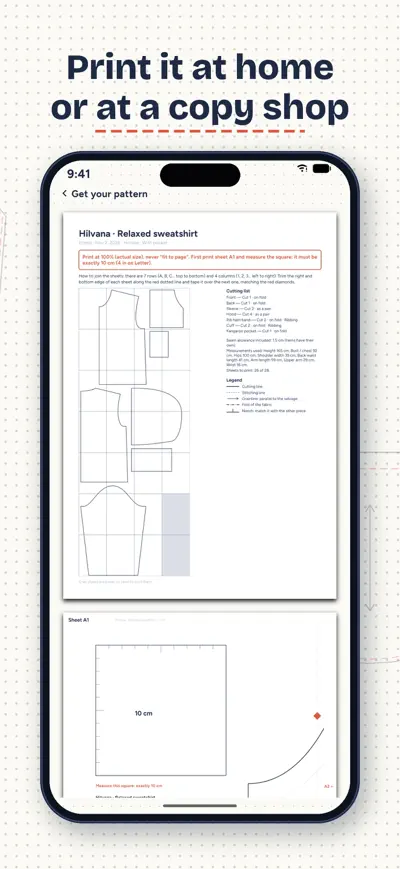
Print the PDF at 100 % («actual size»), never «fit to page». Print sheet A1 first and measure the test square: it must be exactly 10 cm (Letter also has a 4 inch square). The sheets overlap by 1 cm: trim or fold along the mark, match the letters and numbers (A1, A2…) using the index sheet and tape them together.
The A0 PDF puts the whole pattern on one large sheet (or a few) for a copy shop. In projector mode the pattern appears as thick white lines on black at real size: hold the phone or tablet connected to the projector, adjust the square with two fingers until it measures 10 cm on your table, and use the mirror option if your projector flips the image. Both are part of Pro.
Photograph a garment you like, flat or worn, with good light. Hilvana suggests the closest pattern, the variant and the changes (length, sleeves, pockets…), and opens it with those changes in one tap. If nothing fits, it says so and suggests the closest one. Free: one photo in total; Pro: 10 a day.
To cancel a subscription use your App Store or Google Play account settings. On a new phone use Settings › Restore purchases. Your measurements and sewing box are only on the phone where you entered them.
Shift calendar you can share
The school planner that fills itself

Homework explained to parents
Split the bill to the cent