
Mochila
The school planner that fills itself
Basel1905 › Home, family and travel

Scan your rota with AI
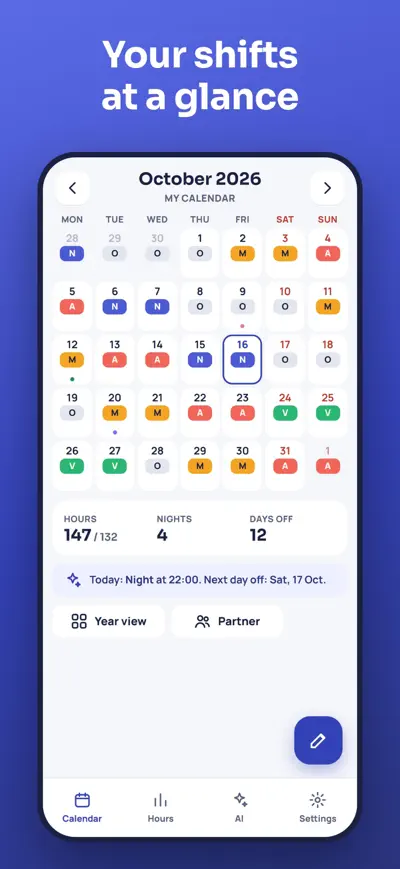
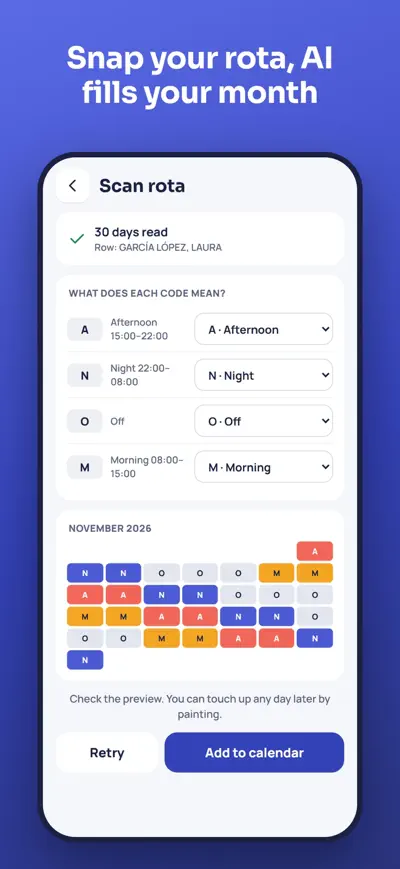
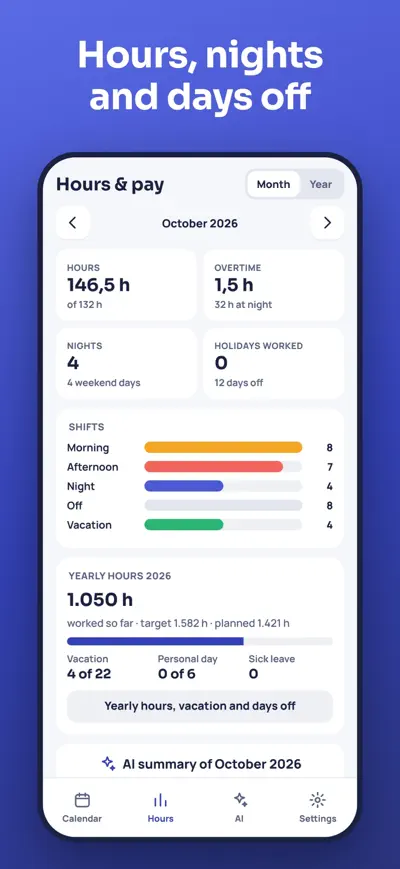
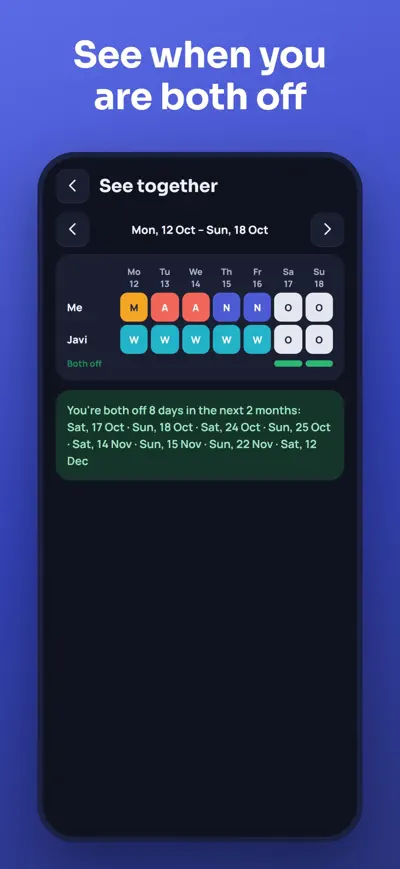
Snap a photo of your rota and the AI fills in your month. Rotating patterns, hours, pay estimate, alarms and your partner's shifts, all in one calendar.
Turnio is the calendar for people who work shifts: nurses, doctors, police, firefighters, factory and retail workers. Have your whole month ready in under a minute and always know when you work, when you're off and how many hours you've done.
Take a photo of the rota (or upload the PDF or Excel). Turnio finds your row, reads every day and fills in your calendar. Your colleagues' names are never stored.
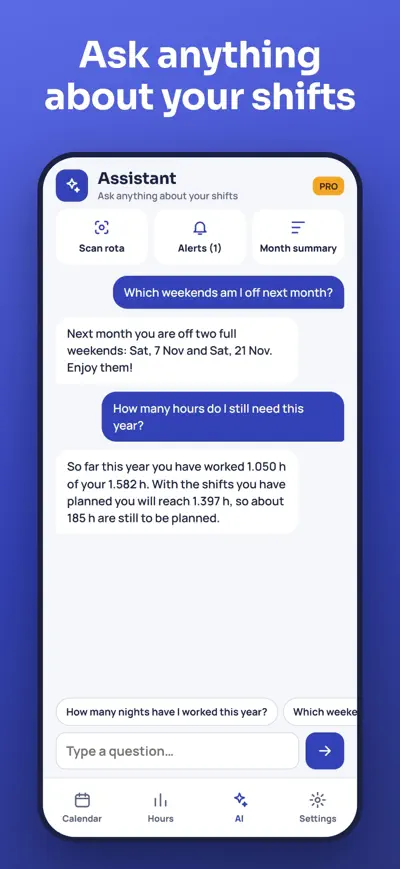
Ask anything: "How many nights have I done this year?", "Which weekends am I off next month?", "When are my partner and I both off?".
Too little rest between shifts, too many nights in a row, yearly hours going over… Turnio warns you in time.
Share your calendar with a code and see both calendars together: the days you're both off are highlighted.
Free to use. Turnio Pro (monthly or yearly subscription, with a free trial) adds AI rota scanning every month, the AI assistant, alerts, pay estimate, partner calendars, cloud backup and no ads.
Open the AI tab › Scan rota. Type your name exactly as it appears on the roster, take a photo (or upload a PDF, Excel or CSV), drag the four circles to the corners of the table (with the names column inside) and tap Read. Check the preview and confirm what each code means.
Good light, the sheet flat, the whole table in the picture and the phone as straight as possible. The more exactly you place the four corners, the better the AI reads it. PDFs and spreadsheets work best.
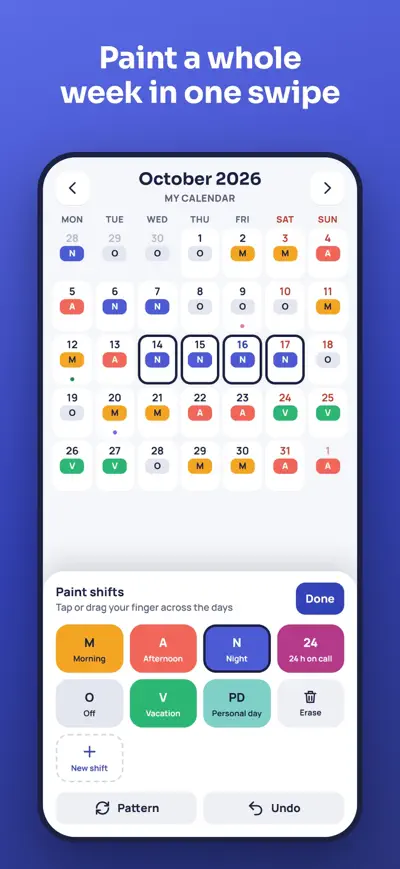
Yes. Tap the pencil and paint any day, or open the day to change its shift, add overtime, a note or a swap. You can also undo the whole scan right after it with “Undo”.
Calendar › Partner › Share my shifts. Send the 6-character code. Your partner adds it in their Turnio (Partner › Add with code; seeing other calendars needs Turnio Pro). Stop sharing any time.
With Turnio Pro, your calendar is backed up automatically. On the old phone, open Settings › My data › Recovery code and keep it. On the new phone, use “Restore backup with code”. Without Pro, use Export backup / Import backup to move a file.
iPhone: Settings › your name › Subscriptions › Turnio. Android: Google Play › Profile › Payments & subscriptions › Subscriptions › Turnio. Deleting the app does not cancel the subscription.
Settings › Restore purchases, using the same Apple ID or Google account you paid with. If it still doesn’t work, write to us.
Allow notifications for Turnio in your phone settings and check that the shift has an alarm (Settings › My shifts). On some Android phones, also turn off battery optimisation for Turnio.
The school planner that fills itself

Homework explained to parents

Split the bill to the cent

All your loyalty cards