Turnio
Shift calendar you can share
Basel1905 › Home, family and travel

Maths explained for parents
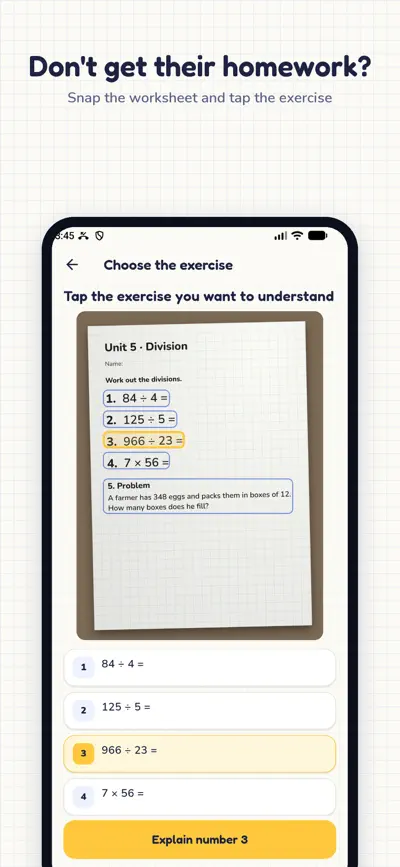
Don't get their homework? Snap the worksheet: we explain the exercise to you, the way their school teaches it, and how to explain it. Then check their work.
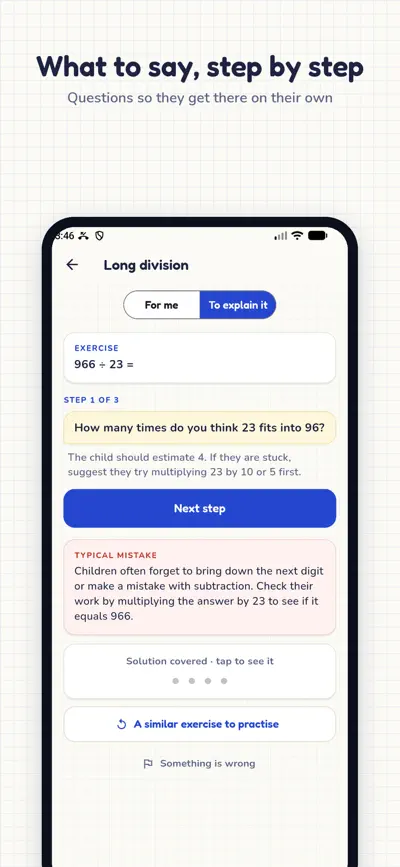
Your child is stuck on their homework and you can't remember how it was done? Take a photo of the worksheet, tap the exercise and Explícamelo explains it to you first, with the method their school uses today, so you know how to help.
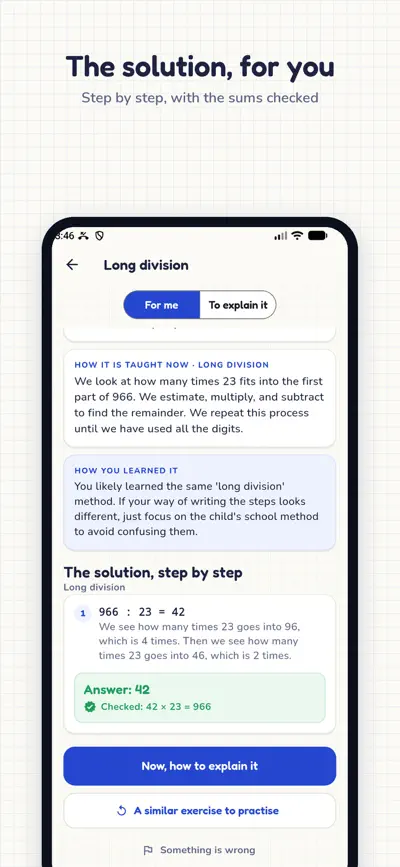
The exercise solved step by step, with one line explaining each step. With the check (42 × 23 = 966) and the classic way, in case it comes more naturally to you. The app itself checks the sums: if something doesn't add up, we don't show it.
Number bonds, partitioning, the traditional method… We tell you what they are learning and how it is taught today, compared with how you learned it, so you don't confuse them.
A script of questions so they get there on their own, with what they should answer and the typical mistake. The solution stays covered, in case they look at the screen.
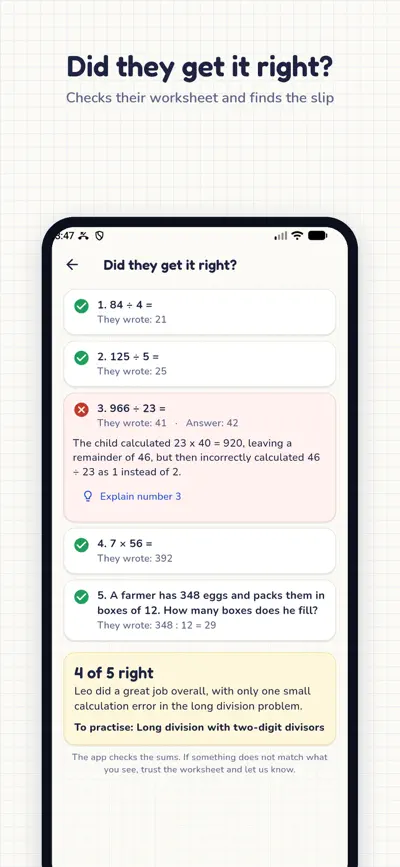
Photo of the finished worksheet: each exercise right or wrong, and for the wrong ones, the exact step where they slipped. Check it without solving it yourself.
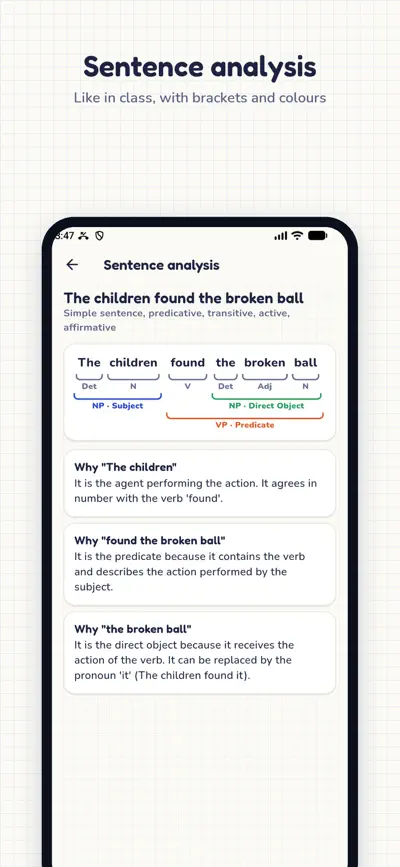
Type a sentence and get it analysed like in class: subject, predicate, phrases, objects, adverbials… with brackets and colours, step by step and explaining why.
Another one like it to practise together, with its solution, and a harder one when they've got it.
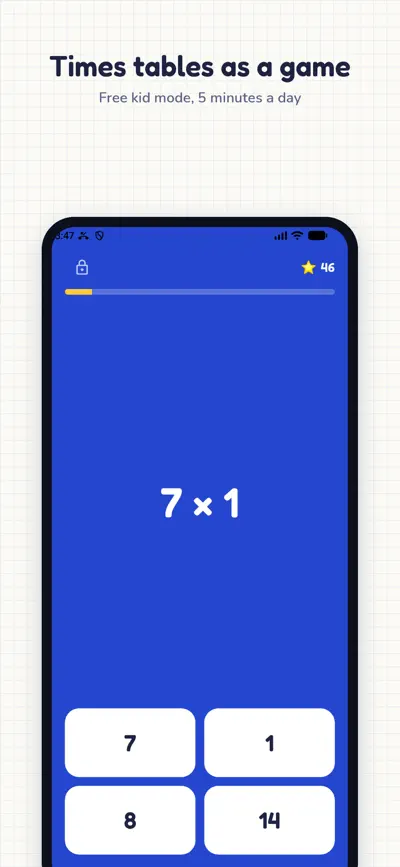
Times tables, division and fractions as a 5-minute game, with stars and a streak. No ads, no links, no purchases, and leaving needs an adult.
What each child worked on, what is worth practising and which tables they master. We remind you every Sunday.
Maths and language from grade 1 to grade 10, fitted to their school year.
Free: 3 explanations or checks a week, 3 sentence analyses a day and the full kid mode. Explícamelo Pro (7 days free): no limits, several children and what to practise each week.
No accounts. The photo is only used to read the exercise and is not kept.
Photograph the whole worksheet, straight, in good light and without shadows. If a single exercise is hard to read, use "Type the question".
In Settings › Children choose how the school teaches maths (ABN, traditional or "I don't know"). With "I don't know" we follow what the worksheet shows.
Tap "Something is wrong" at the end of the explanation. We read every report.
Settings › Restore purchases, with the same Apple or Google account.
iPhone: Settings › your name › Subscriptions. Android: Google Play › Payments and subscriptions.