Docko
Job reports and quotes for trades
Digital card, QR & scanner
Your business card on your phone: they save you with a QR or an NFC tag, without any app. And paper cards go to your contacts with AI.
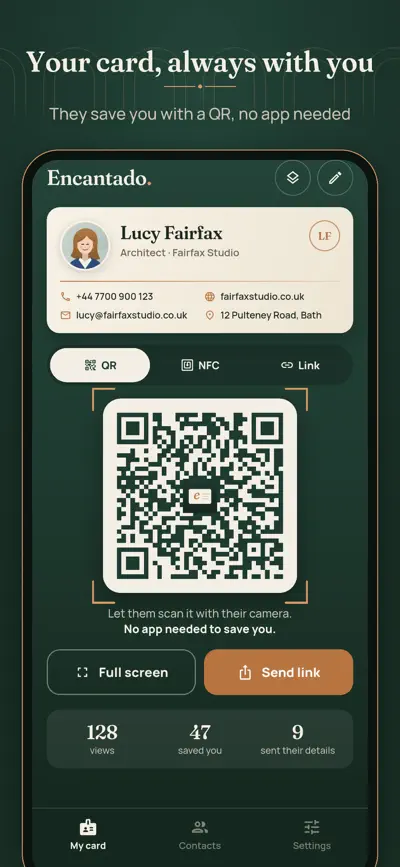
Your business card, on your phone. People save you with a QR code, a tap on an NFC tag or a link, without installing anything. And the paper business cards you are given go to your contacts in seconds.
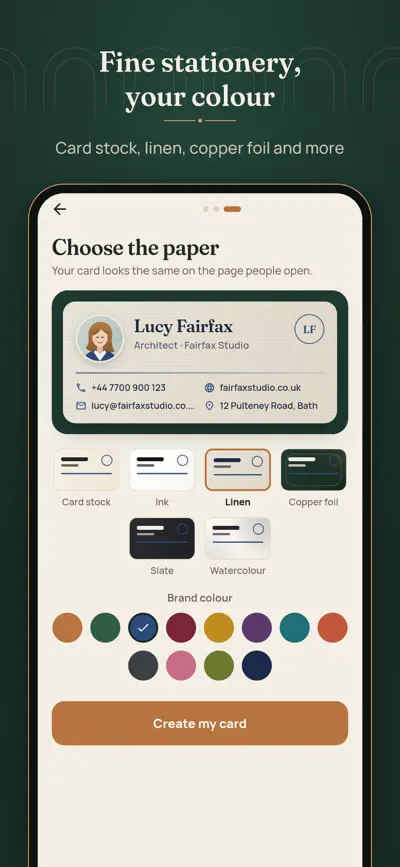
Photo, name, job title, company, phones, email, website, address and social links, on fine stationery: card stock, ink, linen, copper foil, slate or watercolour, in your brand colour.
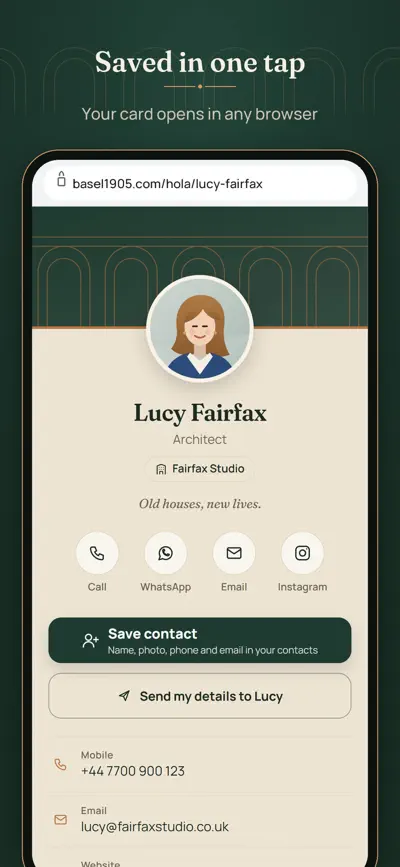
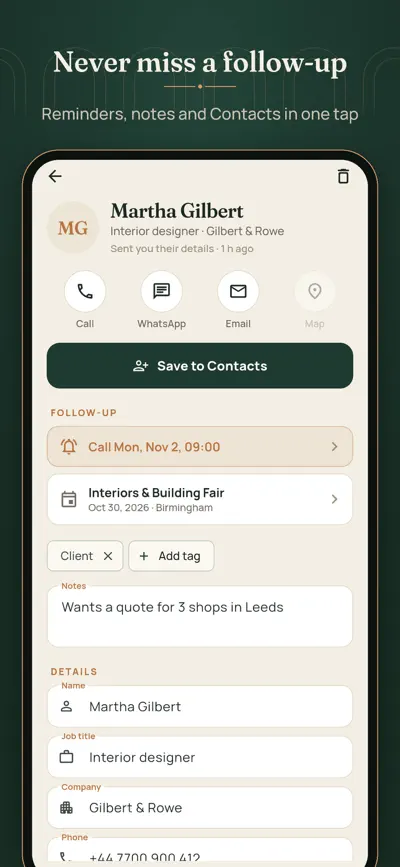
Show your QR full screen: the other person scans it with the camera and your card opens in any browser. One tap on «Save contact» and you are in their contacts, with your photo. They can call you, write on WhatsApp or by email, or open your address on the map.
Send your link by WhatsApp or email, put it in your bio, write it on an NFC sticker or card from your own phone, add your card to Apple Wallet to show it from the lock screen, and add a signature with your card under every email.
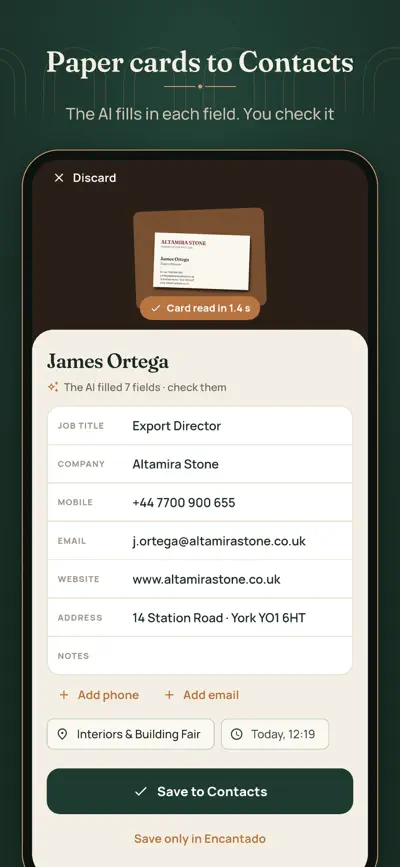
Photograph the front and back of a paper business card. Your phone reads the text and the AI puts the name, job title, company, phones, email, website and address in their place. It never invents anything: what is not on the card stays empty. You check it and save it to Contacts.
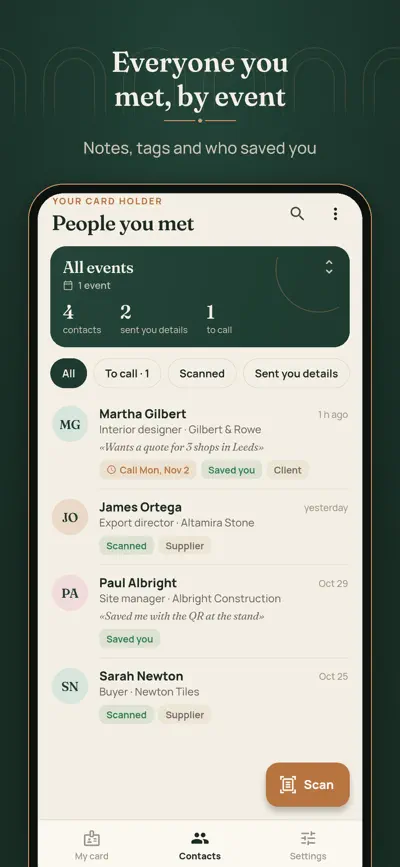
Your card holder, by trade fair or event: notes, tags, a reminder to call on Monday, and who sent you their details from your page. Export it to Excel (CSV).
Free, for as long as you want: 1 card with everything to share (QR, link, NFC, Wallet, save contact, email signature), 2 designs, 10 paper card readings with AI a month and the card holder.
Encantado Pro: up to 5 cards, every design and colour, unlimited readings, people can send you their details from your card, statistics of who opens and saves it, export, and no «Made with Encantado». €24.99 a year with 7 days free (we remind you 2 days before it ends) or €3.99 a month.
No ads and no accounts. You can delete your data at any time.
Open the app, write your name and details, choose a paper and a colour. Your card page and its QR are ready at once.
Show the QR (tap it for full screen): the other person scans it with the camera and saves you with one tap, without installing anything. You can also send the link, add it to your email signature or write it on an NFC sticker.
Use NTAG213, NTAG215 or NTAG216 stickers or cards. In Encantado › My card › NFC, tap “Write NFC tag” and hold the tag against the phone (top edge on iPhone, middle of the back on Android).
In My card › Wallet, add your card to Apple Wallet (iPhone) or Google Wallet (Android) to show your QR from the lock screen.
Tap Scan, fit the card in the frame and take the front, then the back if it has one. Check the fields and save them to Contacts. Free plans include 10 AI reads a month; without them the phone fills in what it recognises.
With Pro your page shows “Send my details”. What people send appears in Contacts with a “Saved you” tag the next time you open the app.
Settings › Backup with a code. On the new phone, choose “I have a backup code”: your cards keep their link and QR.
From your App Store or Google Play account settings. Restore purchases in Settings.
Job reports and quotes for trades

QR menus, translated

Online booking for salons

Your notes turned into tests