Tejados
Daily logic puzzles on village rooftops
Basel1905 › Board, card and logic games
Learn to code with a robot
In review at the stores. You’ll be able to download it very soon.
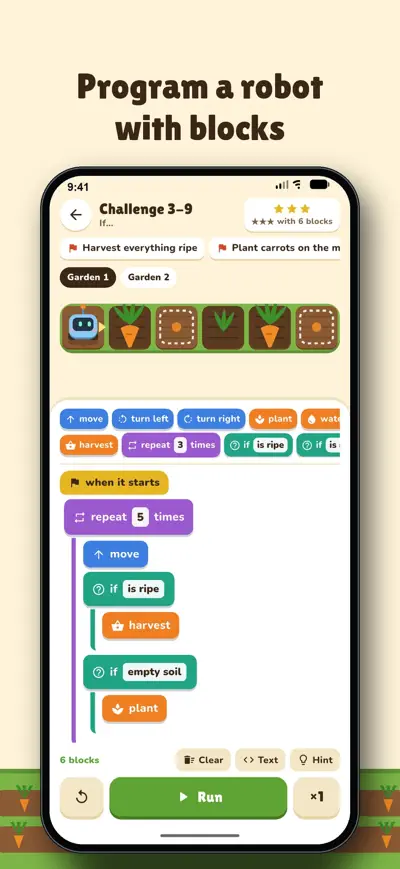
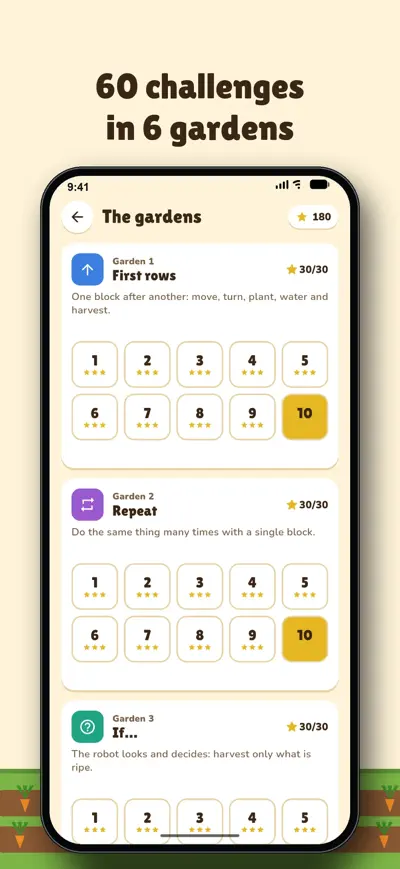
Teach your robot to work the garden with drag-and-drop blocks: repeat, if, while and routines. 60 challenges and a farm that keeps growing.
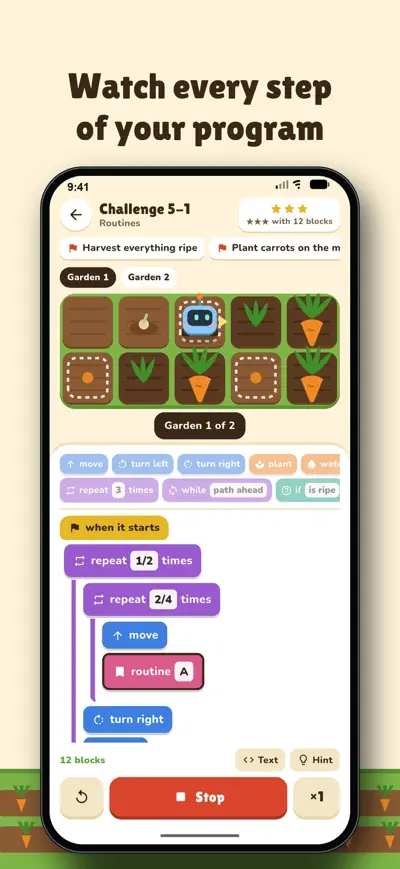
A robot that works the garden for you… if you teach it how. Drag blocks (“move”, “plant”, “water”, “repeat 4 times”, “if it is ripe”), press Run and watch what it does. The robot does exactly what your program says, right or wrong: mistakes show up in the garden and you fix them by trying again.
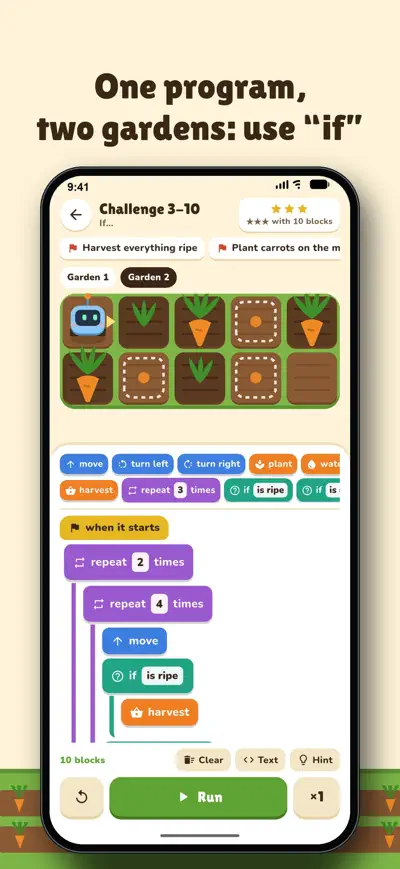
Reach the flag, harvest only what is ripe, plant on the marked squares, water the seeds… Many challenges come with two different gardens and the same program must work for both: that is how “if” and “while” make sense. Three stars for solving it with few blocks, and a hint when you get stuck.
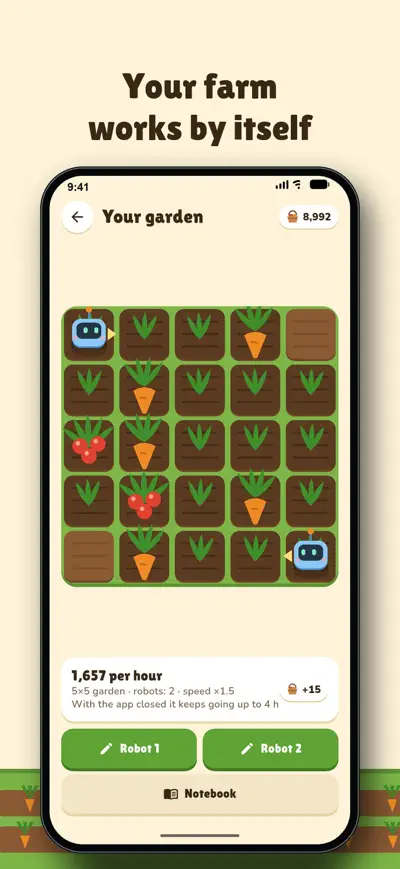
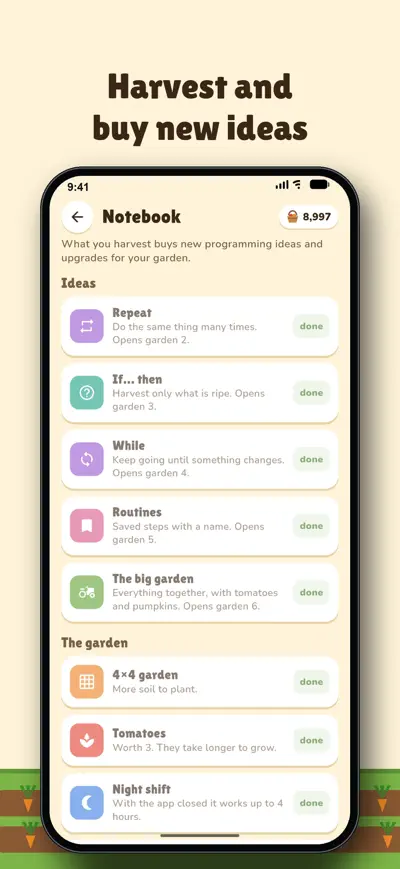
Your best program keeps working your own garden, also for a while with the app closed. The harvest buys new ideas in the notebook, a bigger garden, tomatoes and pumpkins, a second robot, a sprinkler and colourful robots. Better program, bigger harvest: that is what makes you improve it.
A page for parents with what has been learned and the challenges done. No chat, no accounts and no personal data: everything stays on the phone.
The first garden (10 challenges) and your own farm are free, with ads. “The whole garden” is a one-time purchase: 50 more challenges, hints without videos and no ads at all. No subscription, no loot boxes and no paid coins. Works offline.
Each challenge asks for something: reach the flag, harvest what is ripe, plant on the marked squares… Drag blocks from the top to “when it starts” (or tap them to add them at the end) and press Run. The robot does exactly what the program says and the running block is highlighted. If something goes wrong, you see it in the garden and the block turns red.
To move a block of the program, press and hold it for a moment and drag it; the yellow line shows where it will land. To remove it, drag it back to the top or tap it and press ✕. Numbers, what the robot checks and the plant are changed by tapping their white box.
Three stars if you solve it with the blocks the challenge asks for or fewer. If you get stuck, “Hint” shows a solution.
Your garden works by itself with the program you give it, also for a while with the app closed. The harvest buys new ideas in the notebook (which open the next gardens), a bigger garden, tomatoes and pumpkins, a second robot and more.
Settings › For the family shows what has been learned and how many challenges are done.
If the purchase does not show up, use Settings › Restore purchases with the same App Store or Google Play account.